Code Can Be Imperfect, Architecture Cannot Be Chaotic: AI Coding Practices in a Cross-Platform Team
Over the past six months, I've been deeply using AI programming in an Android + iOS cross-platform project. Logic is highly aligned across both platforms, with累计 code volume in the hundreds of thousands of lines.
Honestly, I stumbled through plenty of pitfalls along the way, but also摸索 out some fairly reliable methodologies.
This article isn't a tutorial on how to use AI tools—there's already enough of that content online. What I want to discuss is the shift in mindset: when AI becomes the primary code producer, what adjustments should engineering practices make?
Let me start with the conclusion: in the AI era, architecture matters far more than code itself.

One: Code Can Be Imperfect, Architecture Cannot Be Chaotic
This title seems contradictory, but it's our most core insight.
In traditional development, we pursue "clean code." Elegant variable naming, reasonable function decomposition,恰到好处的 comments. A senior engineer's value is largely reflected in code readability and maintainability.
But AI has changed this equation.
When AI can rewrite an entire function, or even an entire module in seconds, code "quality" is no longer the most important thing. What really matters? Whether AI can correctly understand "where this code should go," "who it should communicate with," "what its responsibility boundaries are."
In the end, architecture determines AI's ceiling.
Let me give you an example of a pitfall we stepped in. Early in the project, module boundaries weren't clear enough, and there were大量 implicit dependencies between two business modules. When we asked AI to add a feature to module A, it "kindly" directly referenced an internal class from module B—no compilation error, functionality worked, but this coupling buried a bunch of hidden dangers. Later we spent about a week clarifying module boundaries and adding compile-level dependency controls before these problems completely disappeared.
This is what I mean by "code can be imperfect, architecture cannot be chaotic"—we accept that AI-produced code might not be perfect, variable names might not be pretty enough, writing might be verbose. But we absolutely don't accept chaotic architecture.
Once architecture is confused, even the strongest AI is just doing "correct" things in the wrong place.
Two: What to Align, What to Let Go
In cross-platform development, "alignment" is an eternal topic. But alignment strategies in the AI era are different from before.
Some things must be strictly aligned, others can be completely let go. Figuring out where this line lies is key to efficiently using AI.
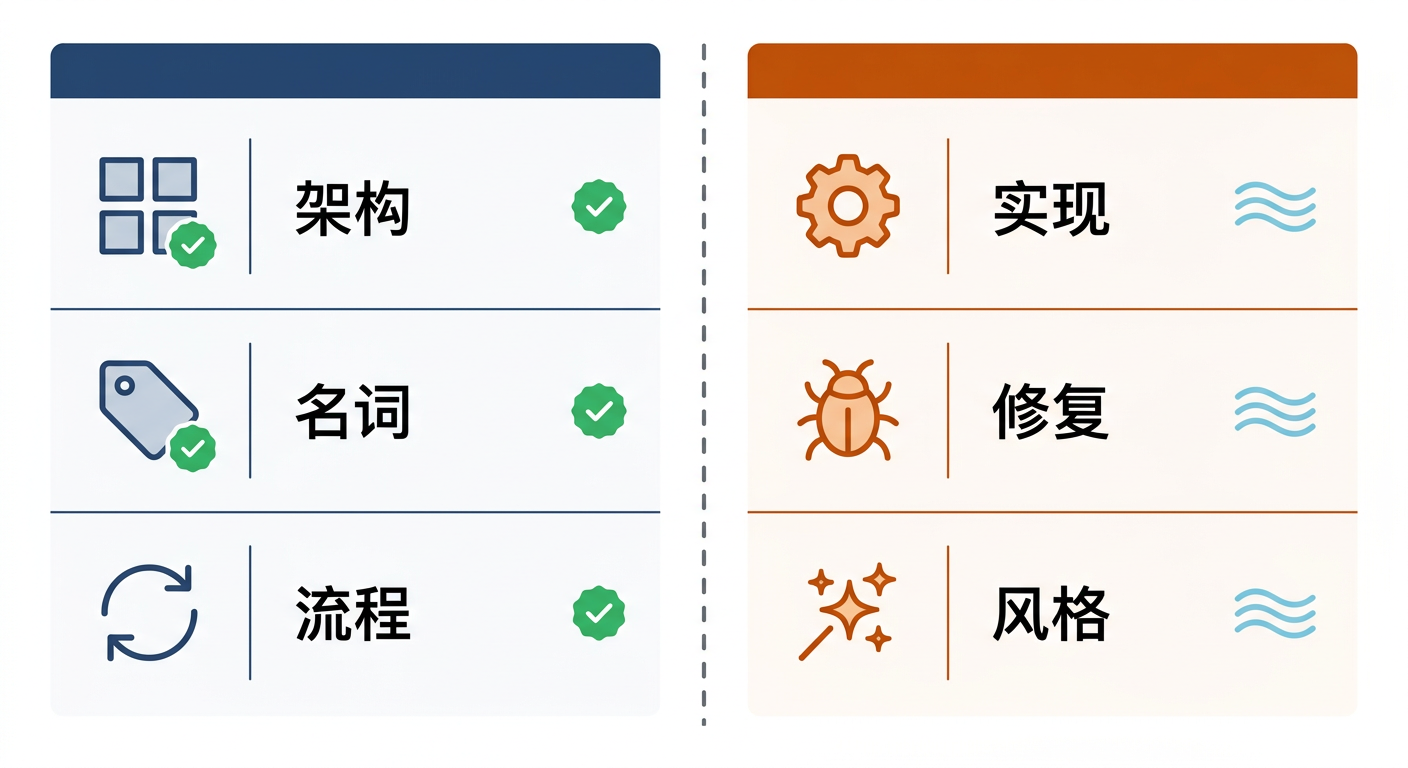
2.1 Three Dimensions That Must Align
Architecture Alignment
This is highest priority.
- API definition alignment: We use OpenAPI YAML as the single source of truth for APIs, automatically generating dual-platform code through tools. Manually writing API call code? Strictly prohibited.
- Module layering alignment: Project is divided into 4 layers (App → Business Layer → Foundation Layer → Third-party Libraries), with strict control over dependency directions per layer. AI tries to make the Foundation Layer depend on the Business Layer? Compilation directly errors.
- Feature division alignment: The same business feature must be placed in the same module path on both Android and iOS. Not "roughly similar," but completely identical file names, class names, and interface names.
Terminology Alignment
This is easily overlooked, but terminology inconsistency is the most hidden technical debt in cross-platform projects.
We learned this the hard way. Once, Android had a page called UserProfilePage while iOS called it ProfilePage. When troubleshooting a routing jump issue, people on both sides chatted for quite a while before realizing they weren't talking about the same page at all.
So we did several things:
- Unified business terminology: Concepts like "character," "dialogue," "product" must use the same English name on both platforms. We built a dedicated terminology consistency checking tool to enforce validation.
- Unified technical terminology: Page names, route keys, interface names—all checked for consistency at code level through tools.
- Accurate function and variable naming: AI-era code is mainly not for humans to read (AI can understand it instantly), but naming must be accurate—because AI also relies on accurate naming to understand context.
Process Alignment
Most easily overlooked, but has the biggest impact.
- Requirements development process: First determine interfaces → then determine page routes → then develop sub-features → finally integrated testing. AI must also follow this sequence, no skipping steps.
- Compilation issue fix process: Modify code → compile → analyze errors → fix → compile again, looping until passing. This process has been encapsulated into an automated Skill.
- API documentation update process: Modify YAML definition → generate dual-platform code → update terminology table → validate consistency.
- Git commit process: AI is prohibited from自行 commit/push, must wait for developer to explicitly say "commit for me."
2.2 What Doesn't Need Alignment
Feature Implementation Details
The same business logic—Android uses Coroutines, iOS uses async/await, no need to align line by line. We only care about consistent interfaces, consistent state, consistent behavior. As for how it's written internally, AI can do whatever it wants.
Bug Fix Methods
In traditional development, bug fixes need review, discussion, impact assessment. But nowadays, the approach is often: let AI change it, compilation passes, run it and it's fine, done.
Code "Elegance Level"
AI-generated code might have redundant null checks, extra variables, not concise enough writing. As long as it's in the right place, doing the right thing, compiles, functions correctly—it's all accepted.
Code aesthetics is no longer the bottleneck; architectural correctness is.
Three: Infrastructure for Efficient AI Work
Having ideas isn't enough. To truly make AI work efficiently, you need supporting infrastructure.
3.1 Three-Layer Documentation System: AI's "Operation Manual"
AI's work quality directly depends on how much context it can get. But full context will explode Tokens. What to do?
Our solution is a progressive disclosure three-layer documentation system.
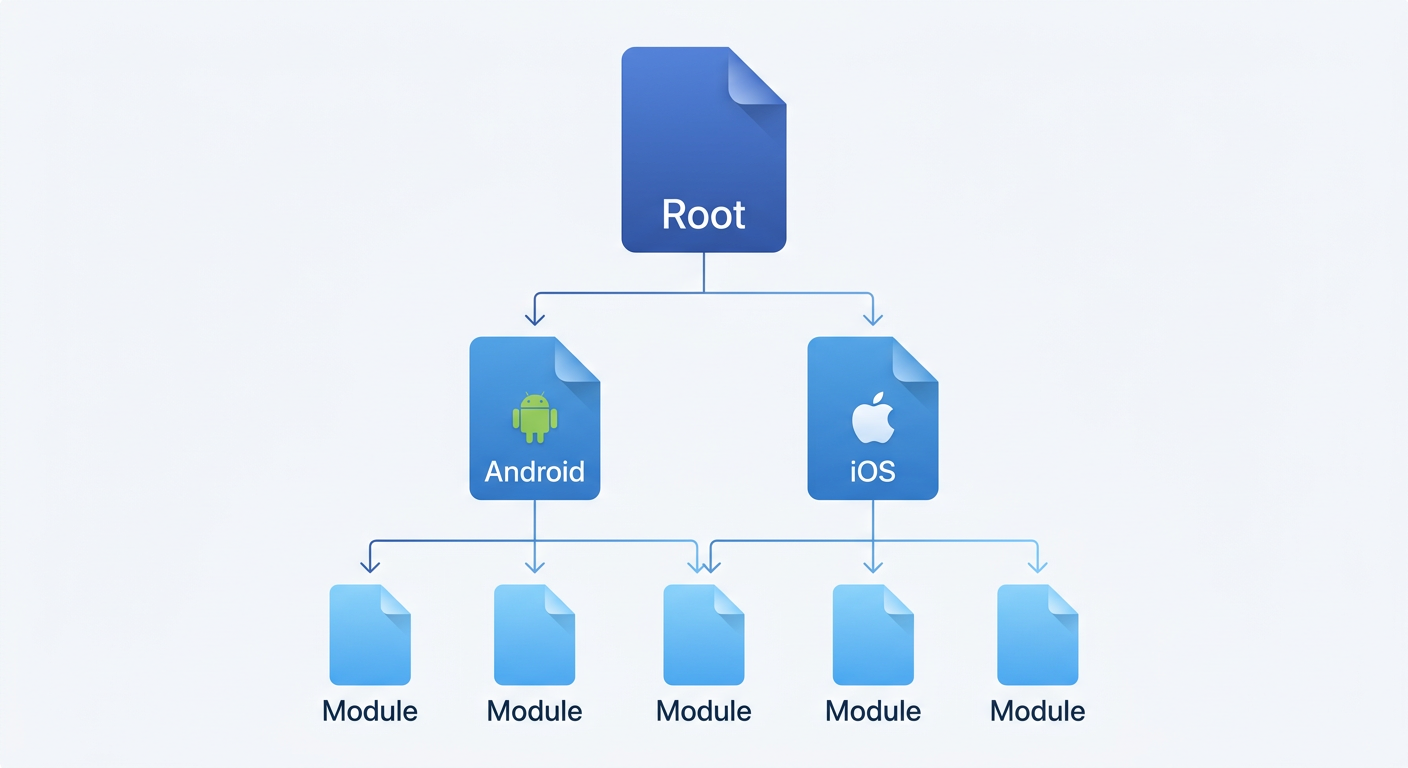
Layer 1 — Project Root AGENTS.md
The most concise project overview. Contains only core principles, naming conventions, dependency rules, and navigation links to lower-layer documentation. AI loads this file with every conversation.
Layer 2 — Platform Layer AGENTS.md
android/AGENTS.md and ios/AGENTS.md, containing platform-specific compilation configurations, directory structures, tech stack details. AI loads on-demand when handling platform-specific tasks.
Layer 3 — Module Layer AGENTS.md
Each business module has its own AGENTS.md, recording module functionality descriptions, core APIs, notes. AI drills down to this layer when modifying specific modules.
This system has several key designs:
- Each AGENTS.md has a corresponding CLAUDE.md soft link, maintaining only one copy
- Cross-platform shared knowledge is unified in
docs/directory, avoiding duplicate maintenance
3.2 Terminology Consistency Checking: "Gatekeeper" for Dual-Platform Alignment
This might be one of our most valuable practices.
The project maintains three types of terminology tables: page noun table, component noun table, interface noun table. After each code change, automatically execute consistency checking:
# Auto-extract terminology from code
python3 naming_check.py generate

# Validate dual-platform consistency
python3 naming_check.py check
If Android has a page called UserProfilePage but iOS calls it ProfilePage, the tool immediately errors. This checking doesn't rely on human review, but is enforced at the tool level.
3.3 Compilation-Driven Development: Most Pragmatic Quality Assurance
This is what I most want to share: in the AI era, the value of unit testing drops significantly, while compilation testing and end-to-end testing are king.
Why?
AI rarely makes "function-level" logic errors. It won't write > as <, won't forget null checks, won't confuse parameter order—these are typical problems unit testing prevents.
The errors AI really makes are "architectural": introducing dependencies that shouldn't exist in the wrong module, calling non-existent APIs, type mismatches.
And these errors, compilers can catch.
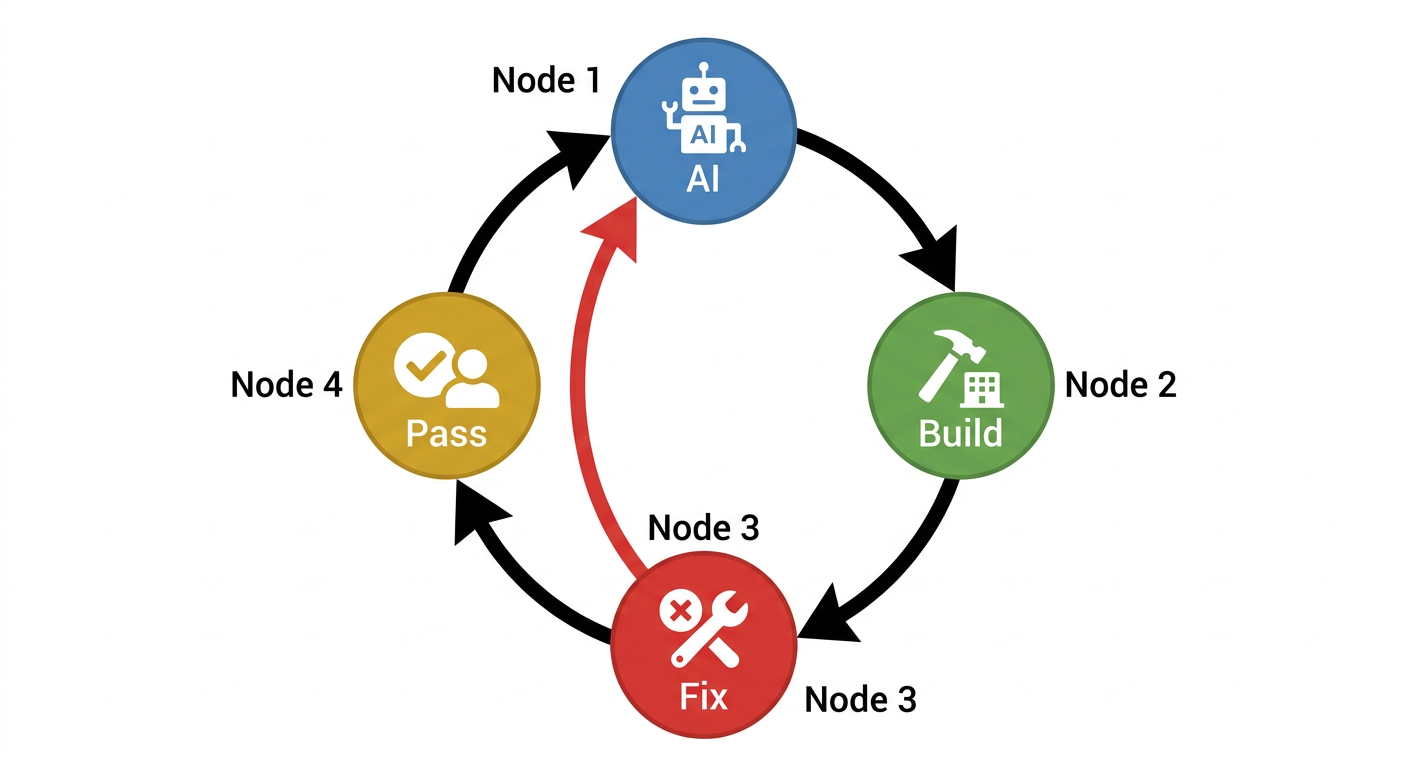
This is actually how we run a round:
- First let AI modify code
- Then directly run compilation scripts, compiling both Android and iOS together
- If it doesn't pass, let AI continue fixing along with errors, then compile again
- After both sides pass, manually walk through the complete流程 to confirm
This loop is encapsulated into an automated Skill that AI can run through the entire process until both platforms compile successfully.
3.4 Dedicated Skill Toolchain
We've encapsulated recurring AI workflows into dedicated Skills:
- build-fixer: Automatically detect and fix dual-platform compilation errors, executing in a loop until passing
- code-align: After completing modifications on one side, automatically synchronize logic to the other side
- api-updater: Given an API path, automatically update YAML definition and generate dual-platform code
- tech-doc-generator: Technical design document generation driven by Use Case
The value of these Skills isn't in "automation" itself, but in guaranteeing process consistency. Whether it's which developer, which AI model, executing the same Skill will go through exactly the same steps.
Four: AI Behavior Guidelines
Making AI work efficiently is only half the battle. The other half is ensuring it doesn't cause destruction.
We've written a set of AI behavior guidelines in AGENTS.md that auto-load with each conversation.
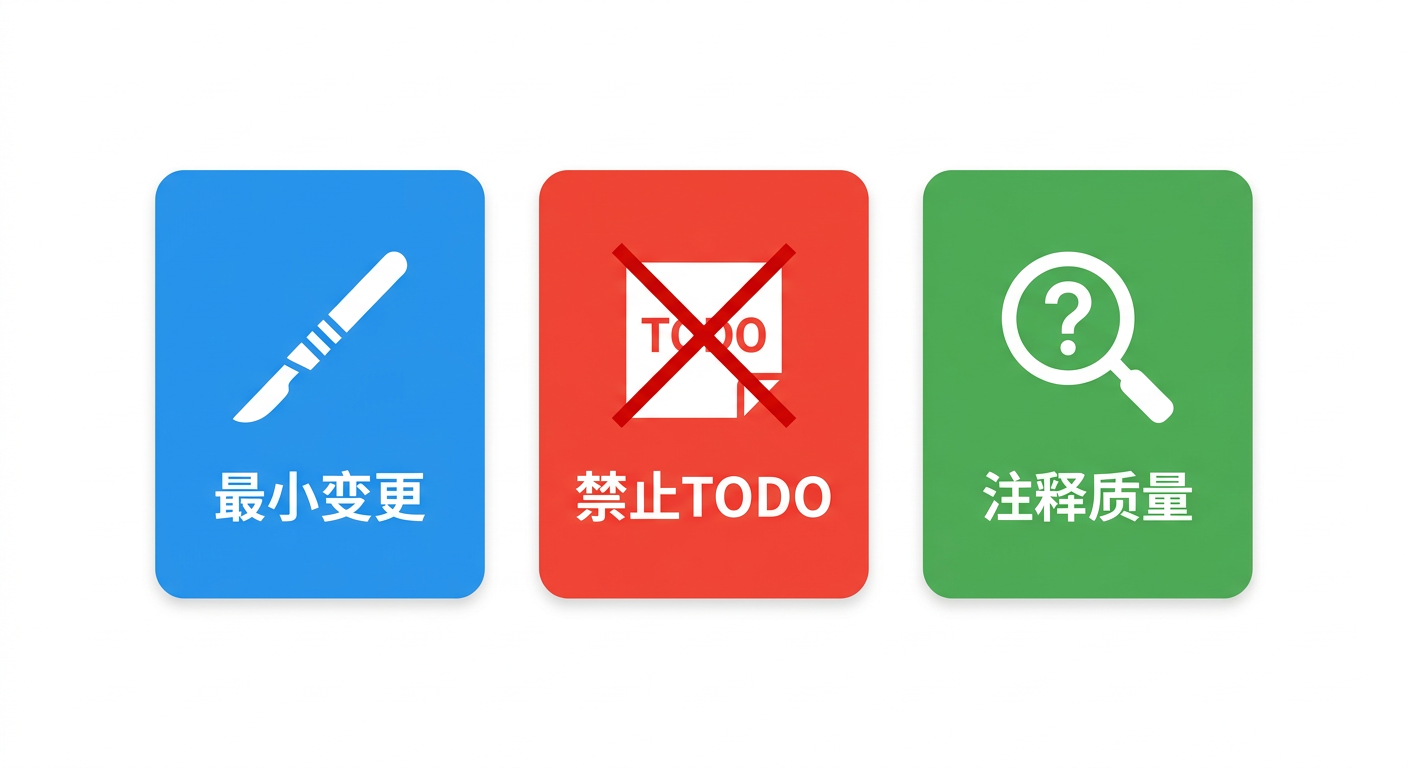
4.1 Minimal Change Principle
The most important rule: AI can only modify code directly required by the task.
We've discovered AI has a strong "optimization desire"—it will incidentally refactor surrounding code, add type annotations, adjust formatting. These changes look like "improvements" individually, but in large projects, they cause huge diffs and code review breakdown.
So explicit rules:
- Must not rewrite, reorder, or refactor unrelated code
- Must not modify whitespace characters
- When adding function calls, parameters equal to default values should be omitted
- When uncertain whether additional changes are needed, must stop and ask
4.2 No TODOs Allowed
In traditional development, leaving TODOs is reasonable practice—marking future work.
But AI leaving TODOs? Not allowed.
Because AI leaving TODOs means it hasn't completed the task. A stub implementation, an empty code block, a "will fill this in later" comment equals turning in unfinished homework.
Our requirement: every piece of code must be complete, specific, and runnable. Can't do it? Stop and ask, don't leave placeholders.
4.3 Comment Quality
The standard is simple: better to omit than add nonsense.
Prohibited comments:
- Repetitive of code content (
// iterate through list) - Describing function names, parameter names, return types
- Describing basic logic (
// if empty, return)
Allowed comments:
- Explaining "why" not "what"
- Recording non-obvious behaviors or assumptions
- Marking platform-specific gotchas
- Providing simple usage examples for external interfaces
All comments in Chinese—team convention, also avoids AI generating large English comments.
Five: Actual Results
Having discussed so much methodology, let's talk about actual results.
5.1 Productivity Boost: Conservatively 4x
This isn't exaggerating for writing an article—it's my most direct feeling from doing this myself.
Before, a moderately complex requirement, like adding a list page, a detail page, and connecting the API, would normally take two or three days. Now my approach is usually:
- First write out the API YAML definition clearly, about half an hour.
- Run the
api-updaterSkill once, dual-platform API code comes out in minutes. - Let AI reference existing pages to first build out the skeleton, then I fill in details, about half an hour.
- Compile once, first see if there are obvious problems.
- Run through the main flow on real device, wherever is wrong continue letting AI fix.
- Finally go over terminology and naming, no problems then submit.
A complete pass usually finishes within half a day, and Android and iOS move forward together.
5.2 Developer Role Changes
Before, I was a "code writer," now I'm more like "architect + auditor."
My daily routine now is more often:
- Defining architecture: deciding which module new features go in, what interfaces they follow
- Reviewing AI output: mainly checking if architecture is correct, not obsessing over whether code is elegant
- Maintaining documentation: AGENTS.md quality directly determines AI work quality
- End-to-end verification: running through complete flows to confirm functionality meets expectations
Actually quite interesting—this shift lets developers focus energy on truly creative work: architectural design, product thinking, user experience. Rather than spending time on mechanical work like "translating designs into code."
Six: Summary
Returning to the opening statement: in the AI era, architecture matters far more than code itself.
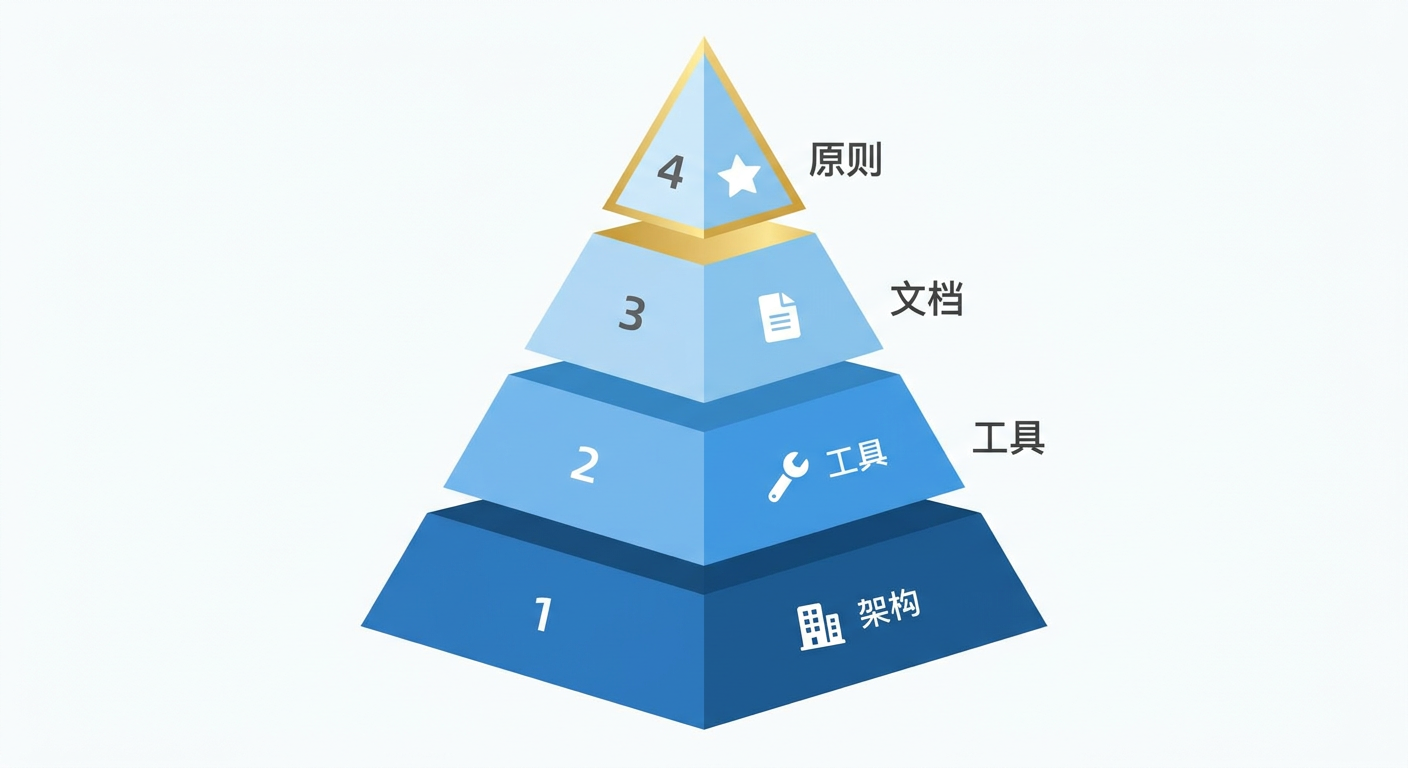
If we want to put this into practice, my own conclusion is:
- Invest in architecture: define clear module boundaries, dependency rules, naming conventions. This is prerequisite for AI to work efficiently.
- Invest in tools: terminology checking, compilation scripts, automated Skills—let machines guarantee consistency.
- Invest in documentation: AGENTS.md documentation system is AI's "training manual," documentation quality = AI output quality.
- Accept imperfect code, but don't accept incorrect architecture.
Teams not using AI-assisted development will gradually be left behind in efficiency—when 2 people can do the work of 8, cost structure determines competitive outcome.
But AI programming isn't simply "letting AI write code." It's a brand new engineering practice requiring systematic investment in architecture, documentation, toolchains, and process standards.
Excellent architecture + AI's speed = true productivity revolution.