The Essence of Agents: Breaking Down the Three Elements of LLM + Tools + Prompt
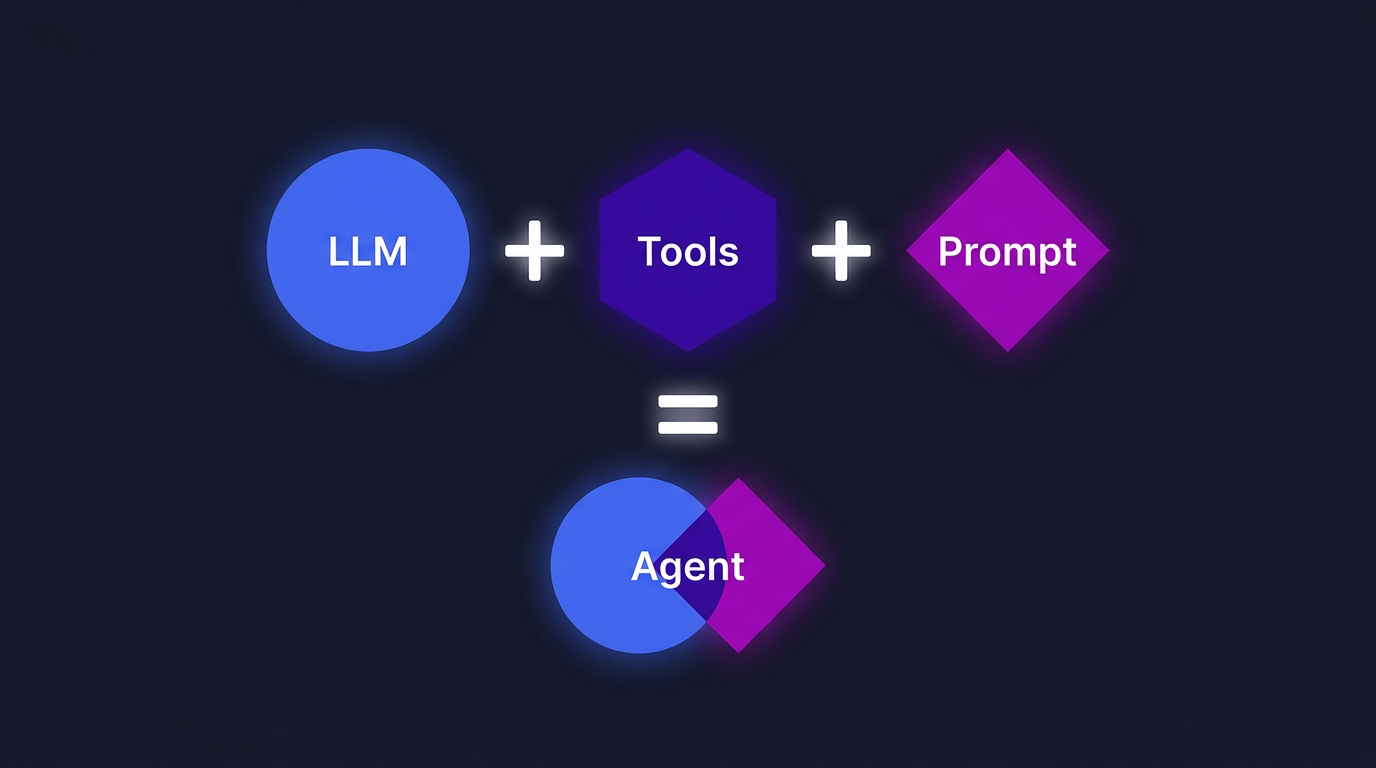
After more than half a year of AI Agent development, writing plenty of demos and stepping into plenty of pitfalls, I look back and realize — the core is just three things: LLM, Tools, and Prompt.
This understanding didn't come at the start. Initially, I followed tutorials step by step — calling APIs, hooking up tools, writing prompts — but I always felt I was missing a global perspective. Then one day while reorganizing my notes, I took apart the Agent projects I had built and noticed something. Whether it was a simple Q&A bot or a complex multi-step task system, they were all essentially combinations of these three elements.
It feels a bit like learning Web development back in the day — once you understood the MVC pattern, you could quickly deconstruct any framework you encountered. The same applies to Agents: once you understand the three-element framework, you can deconstruct any Agent product on the market with a clear perspective, and you can design one from scratch yourself.
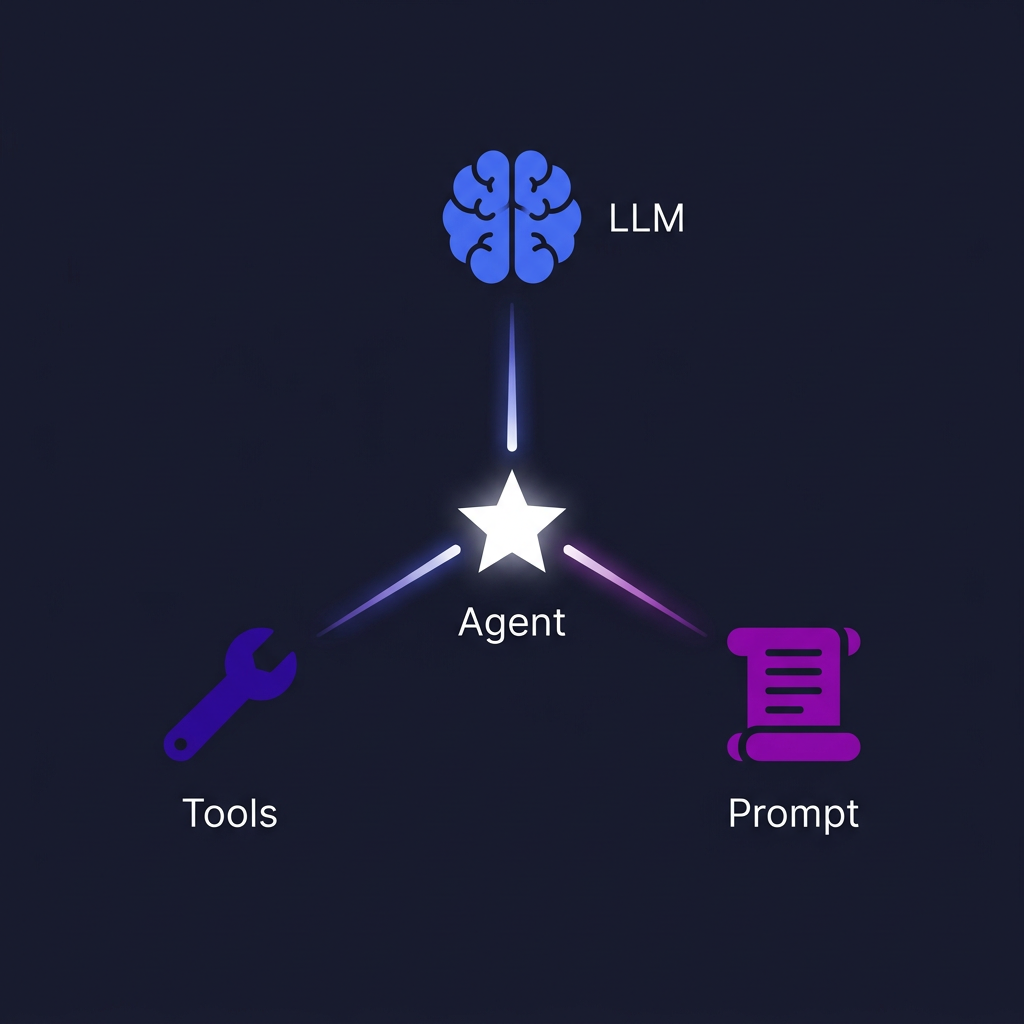
Figure 1: The Three-Element Agent Framework — LLM (reasoning) + Tools (operations) + Prompt (goals), converging to generate an Agent
If you're new to Agents, I recommend reading my earlier piece What is an Agent first to get the basic concepts down — it'll make this article flow much better.
LLM Selection — The Agent's Brain
An Agent's reasoning capability depends entirely on the underlying LLM, so model selection is the most foundational decision. My experience is that the core consideration isn't "which model is strongest" but rather cost-effectiveness — choose based on your usage frequency and capability needs.
The current landscape looks roughly like this: Claude, Gemini, and ChatGPT lead the pack, each with their own strengths. Domestic Chinese vendors are catching up fast, but in complex reasoning and long-context scenarios, the gap is still noticeable. My principle is simple: use foreign models whenever possible, especially in AI Agent scenarios where differences in reasoning capability directly affect task completion rates.
But there's a pitfall many people overlook: the risk of reverse proxies.
Chinese developers, due to network restrictions, often call models through third-party API proxies. On the surface these proxies look fine — requests go out, responses come back. But the problem is, it's hard to verify whether the middle layer is modifying your requests. Some proxies inject system instructions before your prompt. Some truncate or compress the context. Worse, some take your conversation data for training.
In the early days when I used third-party proxies, I often encountered a strange phenomenon: the same prompt would yield different results after a while. Later I realized the proxy provider was tweaking strategies on the middle layer. This is fatal for Agent development — Agent behavior depends on prompt stability, and if the underlying context isn't clean, you simply cannot build reproducible behavior patterns.
So my advice is: either use the official API directly, or build your own proxy channel. Only a stable prompt system makes accumulation possible.
With the brain selected, what tools should we give it? This brings us to the most nuanced part of Agent design.
Tool Design — The Three Tool Categories for Context Management
If the LLM is the brain, then Tools are the Agent's hands and feet. But I think a more accurate way to put it is — the essence of tools is to help the model manage context. The goal of all tool design boils down to one sentence: construct context that is "short, goal-oriented, and topically focused."
Why is this goal so important? Because the model's reasoning capability degrades as context grows. The longer the context and the more mixed the topics, the more easily the model "drifts" — forgetting the original task, getting sidetracked by irrelevant information, or producing self-contradictory outputs. This isn't a problem with any specific model; it's a shared limitation across all current LLMs.
Based on my practice, I categorize Agent tools into three groups:
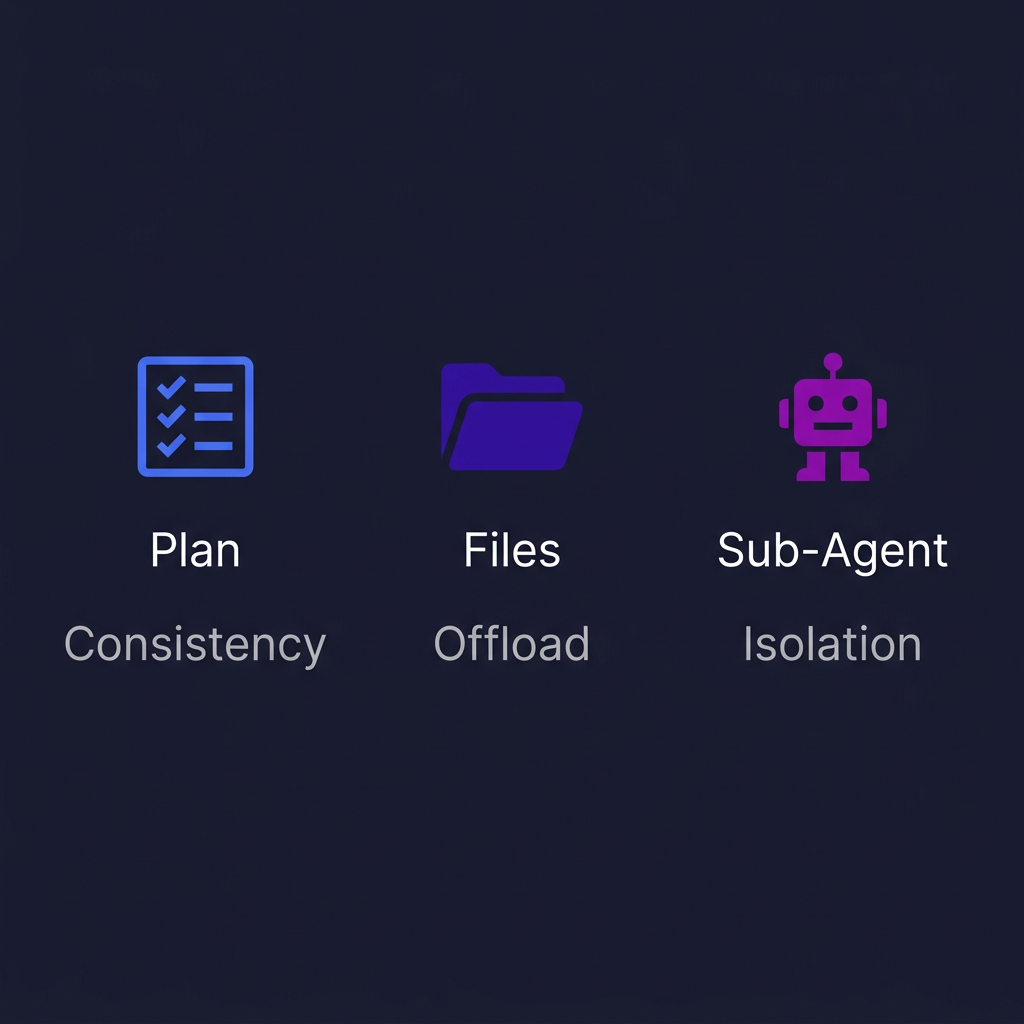
Figure 2: Three categories of Agent tools — Plan tools ensure consistency, file operations offload context, Sub-Agents isolate context
Plan Tools: Keeping the Agent Oriented
Plan tools include todo lists, thinking tools (externalized versions of Chain of Thought), and so on. Their core role is to keep the Agent moving toward its goal without going off track.
A concrete example: when you ask an Agent to complete a multi-step coding task, without a Plan tool it might write to step three and forget what the requirement was at step one. But if it can write down the plan and update the status after each step, behavior becomes much more consistent. Same principle applies to how humans work — the palest ink beats the best memory.
With orientation in place, the Agent still needs memory and retrieval capabilities — that's where file operation tools come in.
File Operation Tools: Offloading Context, Building Memory
This category covers a wide range: reading/writing files, executing commands, memory modules, and retrieval-augmented generation (RAG). Their common purpose is to offload large amounts of information from context to external storage, retrieving it on demand.
An Agent doesn't need to stuff everything into the conversation history. It can, just like a human, take notes in files, store key information in databases, and look them up when needed. This way the context stays lean and focused. Memory modules go further — saving experience from previous tasks for direct reuse next time, which is a form of digital asset.
If you're curious why pure workflow orchestration can't solve these problems, check out my earlier piece The Limits of AI Workflows. In short, workflows are static path planning, but what Agents need is dynamic reasoning and autonomous decision-making.
Sub-Agents: The Ultimate Tool for Context Isolation
The third category is somewhat special — treating sub-Agents as tools to call. This sounds a bit like Russian dolls, but the logic behind it is clear: mixed-topic context directly degrades model capability.
Imagine letting one Agent simultaneously handle multiple tasks with different purposes — writing code, doing research, and managing files all at once. Its context becomes incredibly noisy. The solution is to assign an independent sub-Agent to each purpose, where each sub-Agent only cares about its own task and keeps the context topically focused. The main Agent handles orchestration, aggregating results from each sub-Agent.
This isn't just engineering best practice — it's also a core trend in current Agent design. For deeper discussion on this, see Multi-Agent Systems.
Worth noting: Anthropic mentions similar thinking in their article Building effective agents — the key to tool design isn't how powerful the tools themselves are, but how they help the model manage context better.
We've covered tools, but tools alone aren't enough. Tools solve the "how" problem, but Agents also need to know "what" to do and "what good looks like" — that's where prompts enter the stage.
Prompt and Skill — The Accumulation of Experience
With LLM and Tools, the final element is Prompt. When it comes to prompts, many people still think of "writing a paragraph telling the model what to do." But in Agent scenarios, prompts need to be highly goal-oriented and semantic — you must very clearly tell the Agent what the goal is, what the constraints are, and what the criteria are. Vague prompts get amplified into catastrophic behavioral drift in Agent systems.
But what I really want to talk about isn't how to write prompts, but a concept with more long-term value: Skill.
What is a Skill? Simply put, a Skill is a validated prompt. You write a prompt, run it ten times, and the results are stable and reliable, so you wrap it up with clear input/output definitions for direct reuse next time — that's a Skill.
This process is similar to human learning. Even someone with high intelligence can't do something perfectly on the first try — they need to attempt multiple times, gather feedback, accumulate experience, and eventually form a methodology. AI systems are no different. Fast feedback + experience accumulation = a powerful system.
This is also why I particularly emphasize accumulating Skills. Everyone's needs are different, and the prompts you've refined for your own scenario are your exclusive digital assets. The industry already has many such practices — Claude Code's Skills system, OpenAI's Custom GPTs — they're all essentially doing the same thing: letting users accumulate validated prompts.
My methodology is simple: good execution result → analyze why it's good → wrap it as a Skill → reuse directly next time. The faster this cycle spins, the stronger your Agent system becomes.
Each of the three elements has been discussed. But the truly interesting thing happens when you combine them.
Designing Agents with the Three-Element Framework
Here I want to share a meta-paradigm of my own: don't directly let the Agent execute the task — first let it construct "an Agent specifically designed to solve this task."
What does that mean? Suppose you want to build an automated code review Agent. Following traditional thinking, you might immediately start writing prompts and configuring tools. But with the meta-paradigm approach, you should first analyze what this task requires:
- LLM Selection: Code review needs strong reasoning, so pick a high-capability model; but if it's just style checking, a small model is enough.
- Tool Design: Need to read code files (file operations), need to understand project conventions (RAG), might need to review multiple files in parallel (Sub-Agents).
- Prompt Design: What are the review criteria, what's the output format, how to handle issues when found.
Once the three elements are determined, then generate the Agent to execute, then validate the results. Works well? Wrap it as a Skill for direct reuse. Doesn't work? Adjust the configuration of the three elements and run another round.
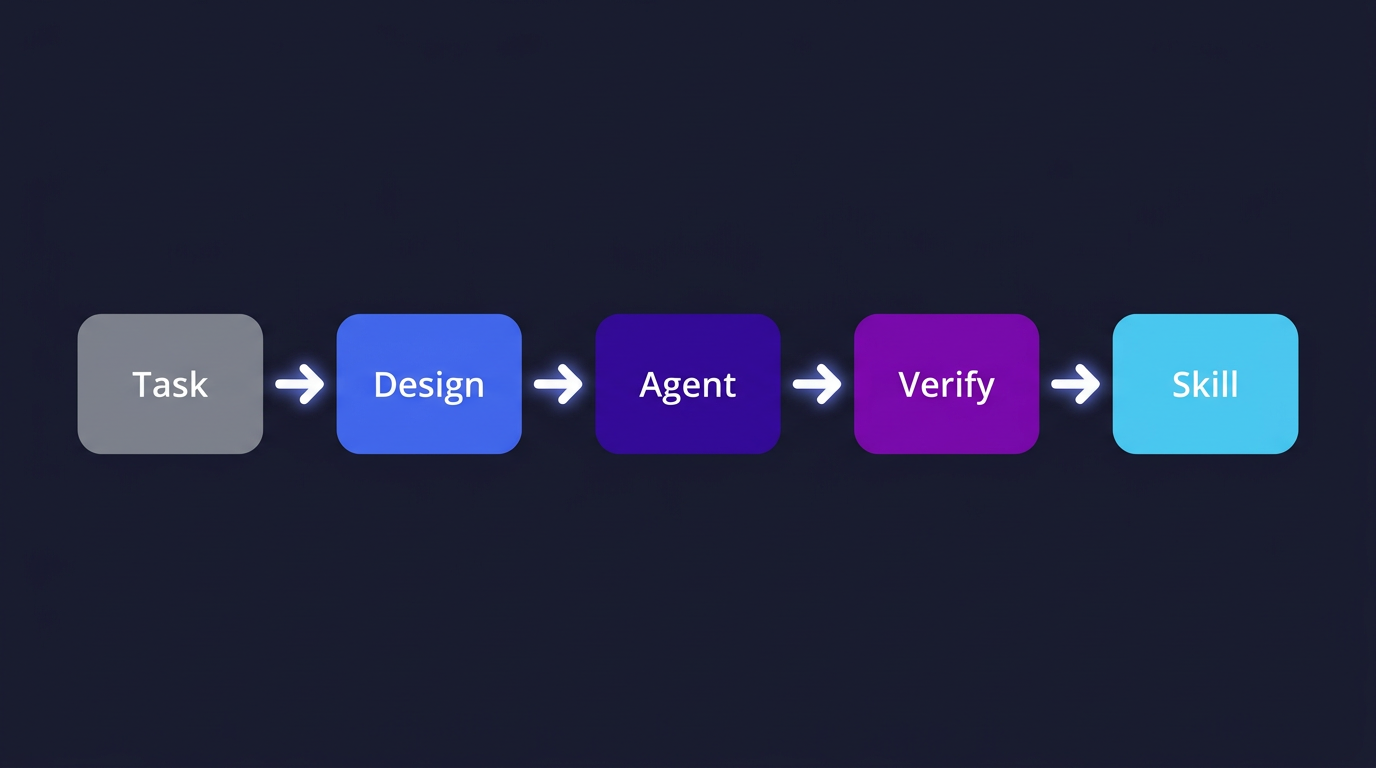
Figure 3: From task to Agent design flow — analyze requirements → determine three elements → generate → execute → validate → encapsulate as Skill
This is essentially a scaled-up version of the minimal example in Building a Tiny Agent — even in that simplest Agent, you can clearly see the respective roles of the three elements.
Looking one level up, this process itself reveals the underlying logic of Agent orchestration: knowledge base (external information) + Agent (orchestration construction) + workflow (archive and reuse). The knowledge base provides information input, the Agent handles dynamic orchestration, and the workflow accumulates validated approaches. The three-element framework isn't theory — it's the operations checklist you use when designing Agents.
Looking back, two things are most critical in Agent development: fast feedback loops and experience accumulation. Fast feedback lets you quickly validate ideas and spot problems; experience accumulation means you don't have to start from scratch every time. The three-element framework is the tool that helps you systematize both.
At the end of the day: LLM provides reasoning capability, Tools manage context boundaries, and Prompts accumulate validated experience — all three are essential. Without a good model, no matter how clever the tools, they spin in place; without sensible tool design, even the strongest model gets dragged down by context; without validated prompts, you're reinventing the wheel every time. Get these three variables right, and the Agent naturally runs.
This framework isn't some profound theory, but it has genuinely helped me avoid a lot of detours in Agent projects. I hope it's useful to you too.
For the next post, I'm planning to talk about mobile Agent development from scratch — how to get a truly useful Agent running on a phone. It's a direction I'm currently exploring, and I've hit plenty of new pitfalls. I'll share them when the time comes.
Further Reading:
- What is an Agent — If you're just getting started, start here
- Building a Tiny Agent — A minimal Agent implementation to feel the three elements
- Multi-Agent Systems — A deep dive into Sub-Agent design patterns